The free stud finder app that turns your iPhone into a wall scanner. Detect wood studs, metal, pipes and wires in seconds — no hardware needed.
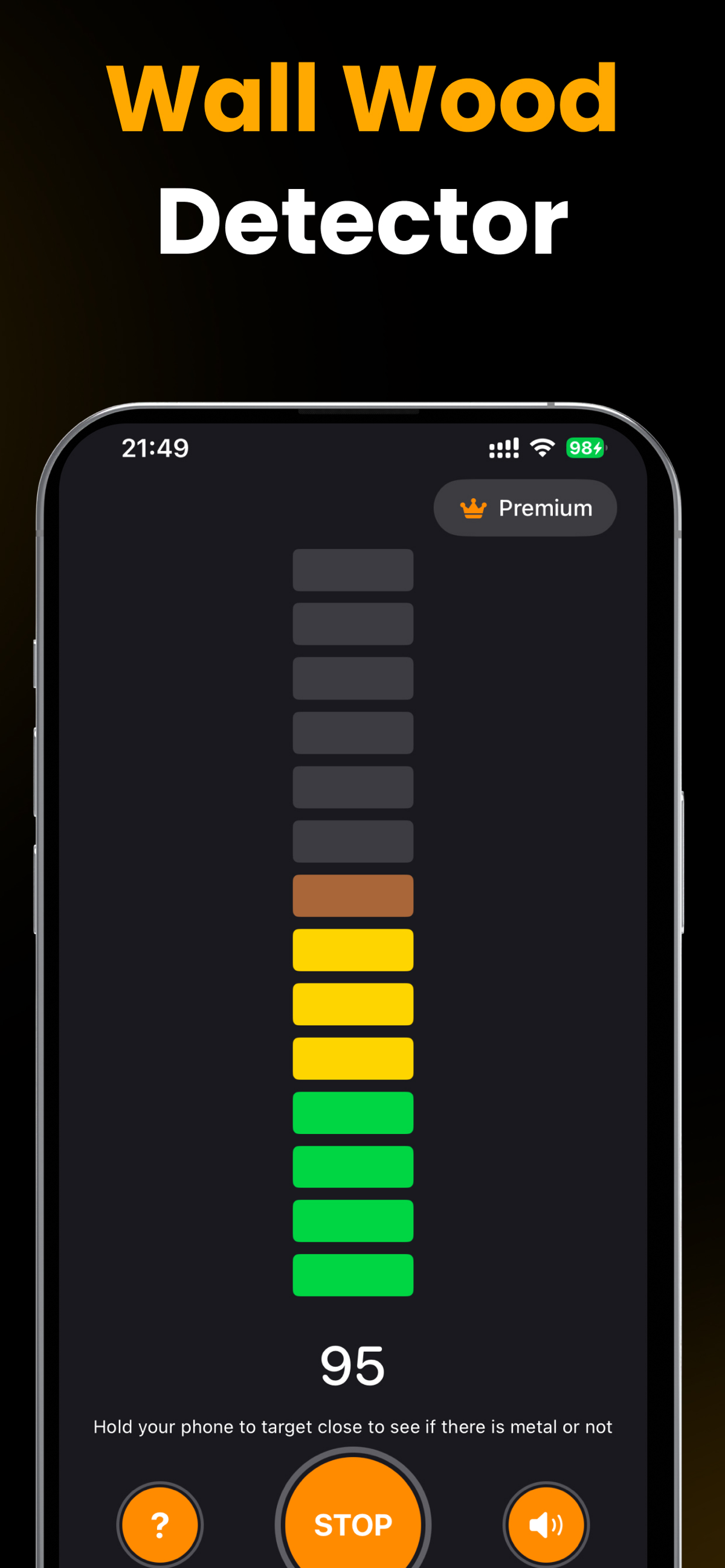
From hanging a TV to a full renovation, scan for studs, metal, pipes and wires before you drill.
A live bar meter and magnetic reading rise as you approach a stud, so you can pinpoint the exact center — not just "somewhere over here."
Detects wood studs via their fasteners, plus metal beams, steel studs, screws and nails behind drywall, plaster and wood walls.
Spot metal water pipes, gas lines, conduit and the magnetic field around live electrical wires so you never drill into a hazard.
Uses the magnetometer built into every iPhone. Nothing to buy, charge or pair — the tool is already in your pocket.
On standard drywall over wood framing it locates studs within about a quarter inch — in seconds, with a clear visual and audio alert.
Record what you found and share it — perfect for planning a mount, a renovation, or handing off to a contractor.
Big, readable controls and a live meter you can trust while you're standing at the wall.
Live wall & wood detection

Real-time magnetic monitoring

Metal & stud detection
Your iPhone's magnetometer reads spikes in the magnetic field from the metal screws and nails that hold drywall to each stud.
Launch the app and, for best sensitivity, remove any thick case. Tap start and hold your phone flat against the wall.
Move the phone horizontally in a slow, steady sweep. Watch the signal bars climb from green toward orange as you near metal.
Where the meter and reading peak with a clear alert is a fastener in the stud. Cross it from both sides and mark the center.
Download free and scan your wall in the next two minutes.
Practical, step-by-step guides for the most common jobs — each one shows you how to get it done with the app.
Land your TV mount on solid wood every time — and never trust a single screw hole.
Read guide → ShelvesFloating shelves and heavy brackets need real anchors. Here's how to place them.
Read guide → No toolsNo hardware on hand? Turn the phone in your pocket into a wall scanner.
Read guide → Older homesLath-and-plaster is tricky. Learn what a phone scanner can and can't find.
Read guide → SafetyScan before you drill so you never hit a water pipe or live wire.
Read guide → Getting startedExactly how the magnetometer works — and how to sweep for a reliable read.
Read guide → Honest answerThe real accuracy, where they shine, and where hardware still wins.
Read guide → Heavy loadsFor anything over ~30 lb, here's how to anchor into a stud with confidence.
Read guide →Start scanning your wall in two minutes.
The things people ask most before they scan their first wall.
Yes. On standard drywall over wood framing it reliably finds studs within about a quarter inch by detecting the metal screws and nails that hold the drywall to each stud. Accuracy drops on plaster, tile and steel-stud walls.
Learn more →Open the app, hold the phone flat against the wall and slide it slowly and horizontally. The signal meter rises and the app alerts you the moment it crosses a metal fastener in a stud.
Learn more →No. The app uses the magnetometer already built into every modern iPhone. There is nothing to buy, plug in, or pair — just download and scan.
Learn more →Yes. It detects ferromagnetic metal pipes, conduit and junction boxes, plus the magnetic field around live wires — so you can scan a spot before drilling into it.
Learn more →It works best on standard drywall. On lath-and-plaster it can find the metal fasteners in the lath. Solid concrete and brick have no studs, so you'd use masonry anchors instead.
Learn more →Scan the mounting area to map at least two studs 16 inches apart, mark their centers, then drill your TV bracket into the wood. Confirm before every screw.
Learn more →Yes — it's free to download and start scanning. An optional Premium subscription unlocks the full feature set for heavier, ongoing projects.
Learn more →On drywall over wood it's accurate to roughly a quarter inch. For heavy loads over ~30 lb, confirm with a second reading — or a hardware finder — and only drill where both agree.
Learn more →Stop guessing where to drill. Find studs, metal, pipes and beams behind any wall in seconds — free, with no hardware to buy.